Management tools
Build a workspace for the records and tasks your team handles daily. Fields, status changes and reminders are defined around your actual operation.
If your work is spread across spreadsheets, messages and separate tools, a custom system can bring the important tasks together. We start by understanding how your business runs today.
Map out your business toolsSee what’s included
A gym needs to manage members and reminders. A legal practice needs case details, hearings and documents. A restaurant needs orders to reach the right kitchen station. The right system follows the steps your team actually takes and gives each person the information they need.
We turn those workflows into a clear scope, design the screens and build the agreed software. Roles, data, reports and connections to other tools are planned early. We can start with one useful part of the operation and add more when the business is ready.
Build a workspace for the records and tasks your team handles daily. Fields, status changes and reminders are defined around your actual operation.
Give customers access to the information or actions they need. We plan account roles, permissions and what belongs inside each person’s view.
Make business information easier to read and use. We agree the data sources, calculations and reports before designing charts or summary screens.
Reduce repeated entry where your tools can exchange data. Integrations are checked for available access, constraints and the way failures should be handled.
Your agreed scope sets the exact deliverables. Here’s what we discuss when we plan the work.
THE WORK, TAKING SHAPE
From the first conversation to the final handover. Here’s how we approach your business software project.
We ask your team to explain the daily tasks, existing tools and recurring problems. Real records and examples help make the requirements specific.
We map the roles, data and main workflows, then agree a first release. The design shows how the team will complete its core tasks.
We develop the agreed features in stages so you can try them with realistic examples. Permissions, data validation and error handling are checked along the way.
We prepare the live setup and any agreed data migration, then walk the team through the system. Support and future changes are planned around your needs.
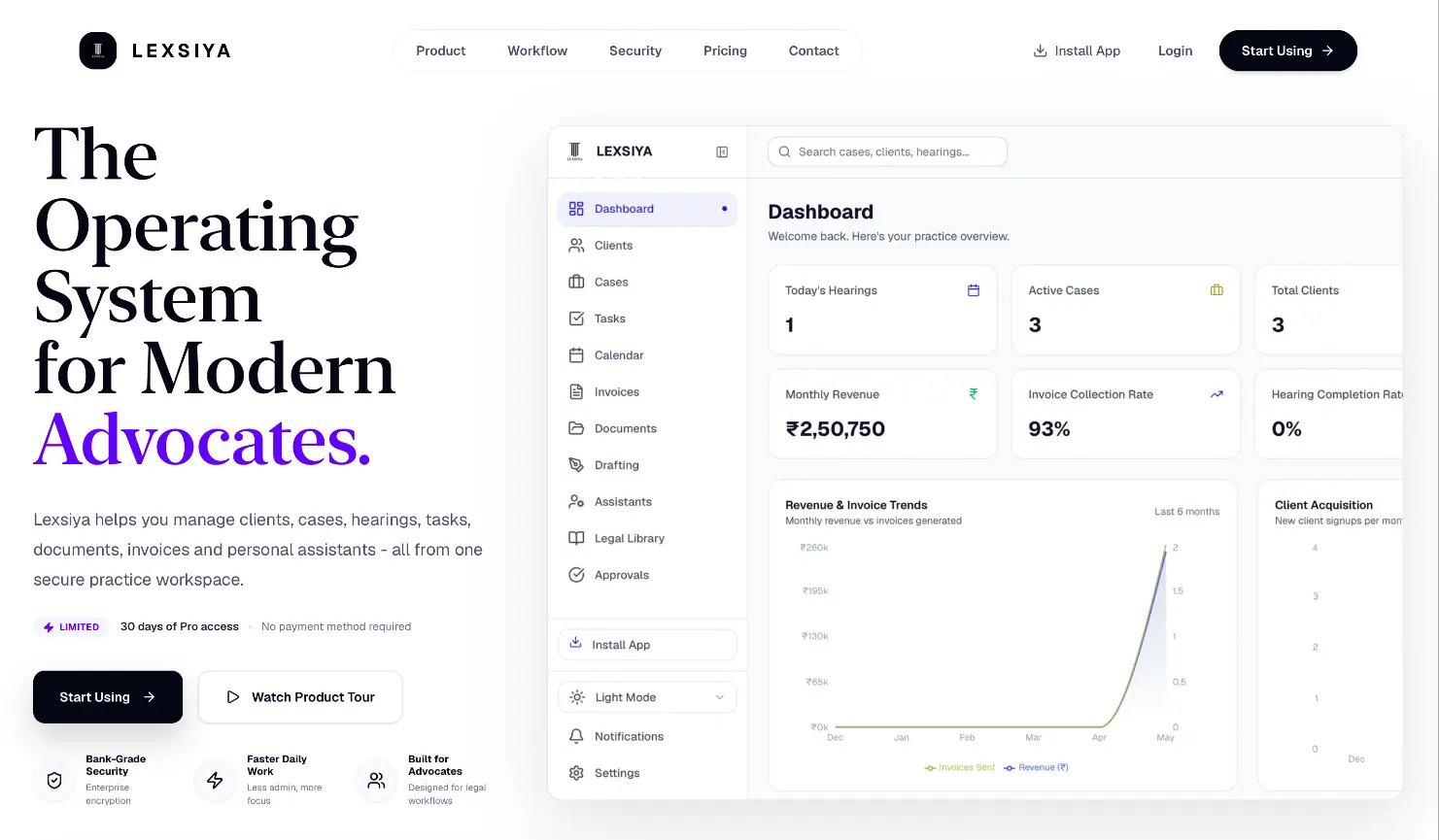
A workspace for advocates to manage clients, cases, hearings, documents, and invoices, with the details of each practice in one place.
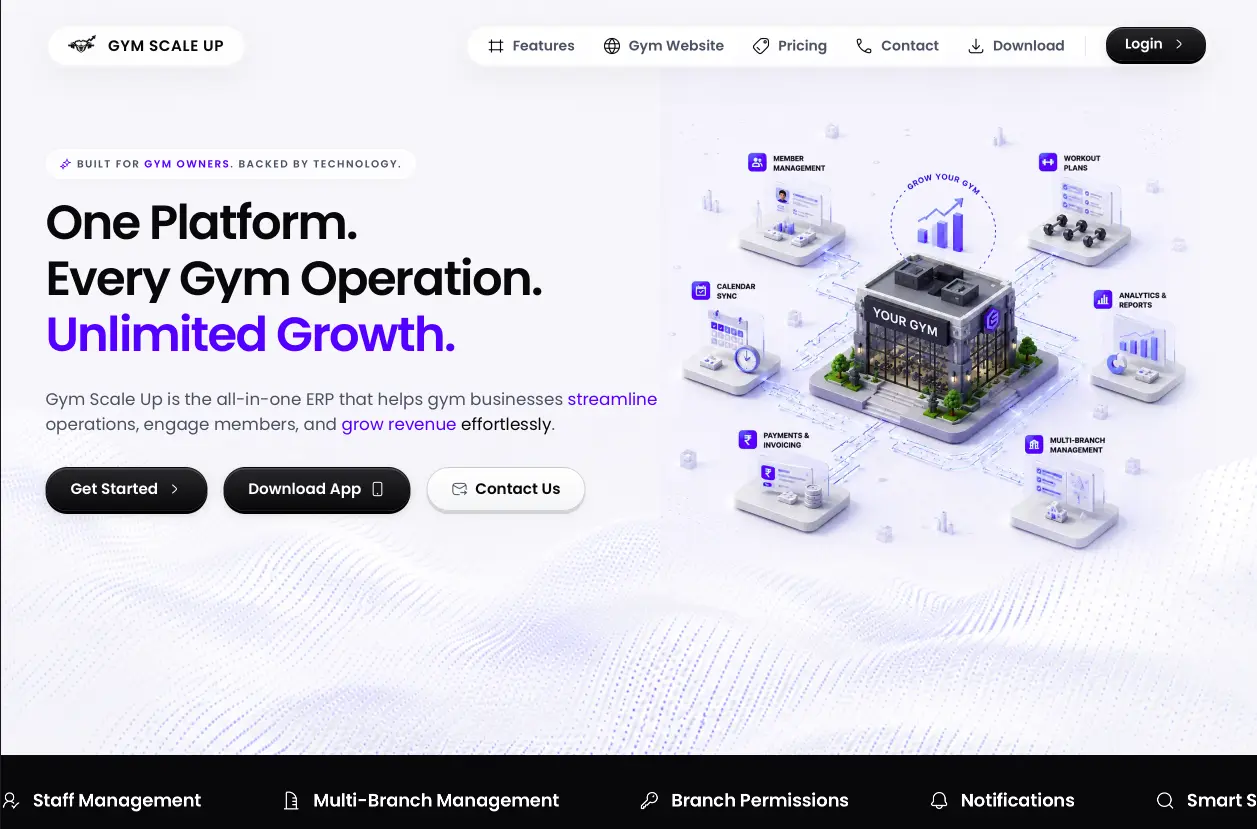
Gym management software with member management, business analytics, and automated reminders.
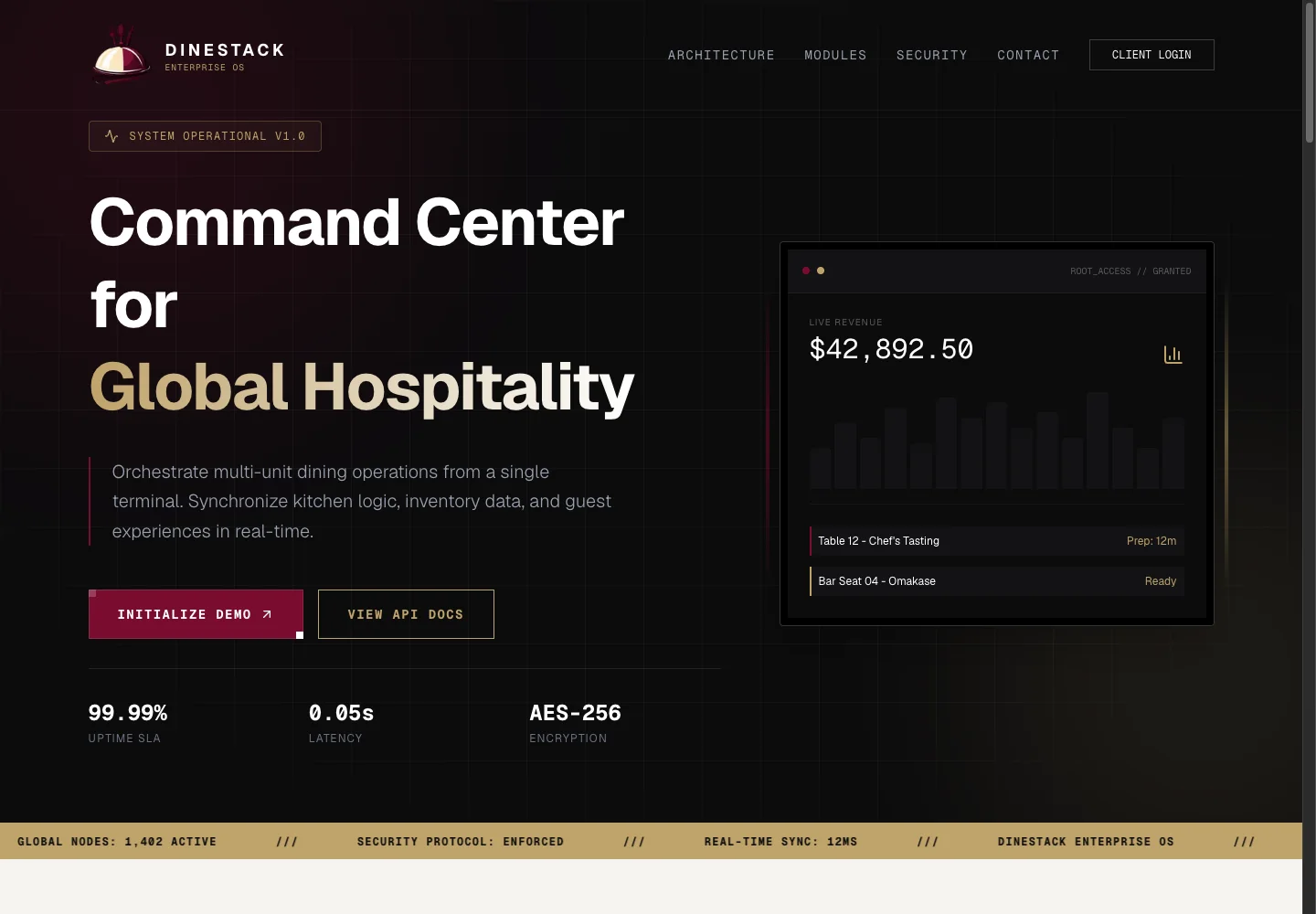
A restaurant operations platform connecting QR ordering, kitchen stations, inventory, and device management through one central dashboard.
A few things worth knowing before you decide. If your situation is different, ask us.
Ask about your projectTell us what your team does and where the current tools fall short. We can discuss whether an existing product, a small integration or a custom build is the sensible starting point.
Often, yes, if those tools provide suitable access. We check the available interfaces, permissions, costs and limitations before including an integration in the proposal.
Data migration can be included after we review the source files and their condition. We agree what will move, how it maps to the new system and how the result will be checked.
Yes. We can plan later releases around the team’s feedback and new requirements. Access, handover and any ongoing maintenance are agreed so future changes have a clear path.
Tell us what you’re building, who it’s for and what needs to happen first. We’ll talk through the scope with you.
Map out your business tools